

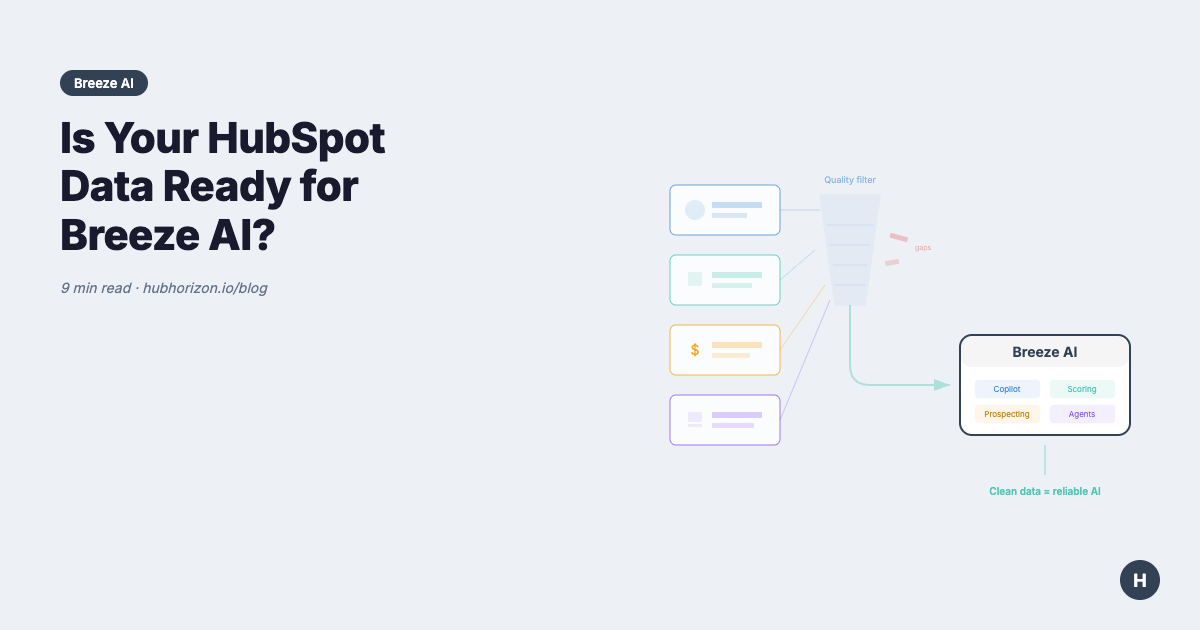
Is Your HubSpot Data Ready for Breeze AI? A Data Readiness Checklist
Breeze AI is only as good as your data. Use this 5-dimension checklist to assess your HubSpot portal's Breeze AI readiness.

Peter Sterkenburg
HubSpot Solutions Architect & Revenue Operations expert. 20+ years B2B SaaS experience. Founder of HubHorizon.
HubSpot's Breeze AI is the platform's biggest bet on artificial intelligence. Breeze Intelligence enriches your records automatically. Breeze Copilot drafts emails, summarizes calls, and suggests next actions. Breeze Agents handle prospecting, content creation, and customer service autonomously.
On paper, that sounds great: less manual work, faster insights, better outcomes. But here's what the launch announcements don't emphasize enough — Breeze AI is only as good as the data it works with.
Feed Breeze clean, complete, well-structured data and it genuinely saves time. Feed it a CRM full of incomplete records, inconsistent formatting, and broken associations, and you'll get confidently wrong suggestions, hallucinated summaries, and automation that creates more problems than it solves.
This article breaks down the five data readiness dimensions that determine whether your HubSpot portal can actually benefit from Breeze AI, and gives you a practical checklist to assess your readiness before you flip the switch.
Why data readiness matters for Breeze AI
Breeze isn't a standalone product — it's deeply embedded in your HubSpot data. Every Breeze feature pulls from your existing CRM records:
- Breeze Intelligence enriches Contacts and Companies by matching against external databases. If your records have inconsistent company names, misspelled domains, or missing email addresses, the matching fails silently. You get no enrichment — or worse, wrong enrichment.
- Breeze Copilot generates email drafts and call summaries based on contact history, deal context, and previous interactions. If your activity data is sparse or your deal properties are empty, Copilot produces generic, unhelpful output.
- Prospecting Agent identifies and engages potential buyers based on your ICP (Ideal Customer Profile) data. If your ICP properties aren't consistently populated — industry, company size, revenue range — the agent targets the wrong accounts.
- Customer Agent resolves support queries using your knowledge base and customer data. If ticket associations are broken or customer history is fragmented across unlinked records, the agent gives incorrect answers.
Every example above follows the same logic: garbage in, garbage out. Breeze doesn't fix your data problems. It amplifies them.
The 5 dimensions of Breeze AI data readiness
Five data dimensions predict whether Breeze AI will work well or disappoint. These are adapted from the formal data quality dimensions used in data management. Each maps to specific Breeze capabilities and data requirements.
1. Record completeness: Can Breeze find what it needs?
What Breeze needs: Populated identity fields (name, email, domain), demographic fields (job title, industry, company size), and context fields (lifecycle stage, lead source, deal amount).
Why it matters: Breeze Intelligence uses email and domain as primary matching keys. If 30% of your Contacts lack email addresses, those records are invisible to enrichment. Copilot needs deal amounts, close dates, and stage information to generate useful sales content — empty deal properties produce vague suggestions.
Self-assessment checklist:
- 90%+ of Contacts have email addresses
- 80%+ of Contacts have job titles
- 85%+ of Companies have industry and size populated
- 90%+ of Deals have amounts and close dates
- Lifecycle stage is populated for 95%+ of Contacts
Quick fix: Run a fill rate audit on your top 10 properties per object. Any critical field below 80% needs a remediation plan — data enrichment tools, required form fields, or manual cleanup campaigns. Our CRM health score guide explains how completeness fits into the broader scoring picture.
2. Data consistency: Can Breeze trust your values?
What Breeze needs: This maps to two formal data quality dimensions: consistency (the same concept represented the same way across records — no "VP Sales" vs "VP of Sales" chaos) and validity (data conforming to defined formats — phone numbers, dates, currencies). Breeze needs standardised categorical values for grouping and valid formats for data processing. It also needs logical alignment between related fields (lifecycle stage matches deal status, contact company matches deal company).
Why it matters: When Breeze Copilot analyzes your pipeline to suggest next actions, it groups Deals by stage, industry, and size. If your industry field contains 200 variations of 15 actual industries, the grouping breaks down. When Prospecting Agent evaluates fit against your ICP, inconsistent values mean good-fit prospects get missed and bad-fit prospects get engaged.
Self-assessment checklist:
- Categorical fields (industry, lead source, persona) use controlled dropdowns, not free text
- Phone numbers follow a consistent format (ideally E.164)
- No logical contradictions (e.g., "Customer" lifecycle stage with zero closed-won Deals)
- Company names are standardized (not a mix of "Acme", "Acme Inc.", "ACME Corporation")
- Duplicate records are below 3% across all objects
Quick fix: Identify your top 5 categorical fields and count unique values. If "industry" has 150+ unique entries, consolidate them into 20-30 standard values using HubSpot workflows or a data operations tool like Insycle.
3. Association integrity: Can Breeze see the full picture?
What Breeze needs: Complete, accurate links between Contacts, Companies, Deals, and Tickets. Breeze features work across objects — Copilot summarizes a Deal by pulling context from associated Contacts, the company record, and activity history. If those associations are missing, the summary is incomplete.
Why it matters: This is the dimension most teams underestimate. A Prospecting Agent evaluating account fit needs to traverse contact → company → deal history → activity data. One broken link in that chain means incomplete intelligence. Customer Agent resolving a support ticket needs to see the customer's full history — if the ticket isn't associated with the right contact and company, the agent works blind.
Self-assessment checklist:
- 95%+ of Deals have at least one associated Contact
- 90%+ of Contacts have a Company association
- No "orphaned" Deals (Deals with zero Contacts and zero Company)
- Tickets are associated with both a Contact and a Company
- Deal-to-Contact associations include role labels (Champion, Decision Maker, etc.)
Quick fix: Run an association audit — our guide on fixing broken associations walks through the discovery and bulk-fix process. HubSpot's native tools show orphaned records, or use HubHorizon for an automated association completeness analysis with specific gap identification.
4. Activity depth: Does Breeze have enough behavioral signal?
What Breeze needs: Rich engagement data — email opens and clicks, meeting logs, call recordings, page views, form submissions, content downloads. Breeze Copilot uses activity history to personalize outreach. Predictive features use behavioral patterns to score leads and forecast Deals.
Why it matters: A contact with 50 logged activities across email, meetings, and website visits gives Breeze rich signal for personalization and prediction. A contact with zero activities is a data ghost — Breeze can't predict behavior it's never observed. If your sales team doesn't log calls, your marketing emails aren't tracked, or your website behavior isn't captured, Breeze operates on incomplete behavioral data.
Self-assessment checklist:
- HubSpot tracking code is installed and capturing website behavior
- Email engagement (opens, clicks) is tracked via HubSpot or synced from your email tool
- Meetings auto-log to contact timelines (calendar integration active)
- Sales calls are logged (dialer integration or manual logging discipline)
- Less than 20% of Contacts created in the last 6 months have zero activities
Quick fix: Start with the tracking code and calendar integration — these are one-time setups that passively generate activity data. Then address call logging discipline as a process change.
5. Schema quality: Is your portal structured for AI?
What Breeze needs: Well-organized properties with clear naming conventions, appropriate data types, and minimal clutter. Breeze features rely on property metadata to understand what each field represents. A field named temp_field_2 with no description gives the AI nothing to work with.
Why it matters: When Breeze Intelligence maps enriched data to your properties, it needs to identify which field represents "company revenue" — if you have annual_revenue, company_rev, revenue_arr, and est_revenue with no descriptions, the mapping becomes unreliable. Property hygiene directly impacts how effectively Breeze can use your schema. For a deep dive on this dimension, see our property hygiene guide.
Self-assessment checklist:
- Custom properties follow a consistent naming convention
- 80%+ of custom properties have descriptions
- Unused properties (0% fill rate, no workflow references) are archived or deleted
- Property types match their data (numbers stored as numbers, not text)
- No more than 20% of custom properties are dormant (created but never used)
Quick fix: Archive unused properties first — reducing noise helps both humans and AI. Then add descriptions to your most-used properties, starting with any that Breeze features interact with directly.
Two dimensions that also affect Breeze
The five dimensions above don't explicitly cover uniqueness (duplicates) or timeliness (data recency), but both matter for Breeze performance. Duplicate records dilute Breeze's training data — if the same contact exists three times with different activity histories, Copilot sees a fragmented picture. Stale records produce outdated suggestions — Breeze can't know a contact changed roles if the record hasn't been updated in two years. For the full six-dimension data quality framework, including uniqueness and timeliness benchmarks, see our dimensions guide.
Scoring your Breeze AI readiness
Rate yourself 1-5 on each dimension:
| Dimension | 1 (Critical) | 3 (Needs Work) | 5 (Ready) |
|---|---|---|---|
| Completeness | <50% fill on critical fields | 60-80% fill rates | 90%+ on all critical fields |
| Consistency | Free text everywhere, 100+ variants | Mix of dropdowns and free text | Controlled vocabularies, <3% duplicates |
| Associations | <60% of Deals have Contacts | 70-85% association rates | 95%+ complete associations |
| Activity Depth | >50% of Contacts have zero activities | Basic email tracking only | Multi-channel activity capture |
| Schema Quality | No naming standards, 50%+ unused props | Some conventions, partial docs | Enforced standards, full documentation |
Interpreting your total score (out of 25):
- 20-25: Breeze-ready. Your data can reliably power all Breeze features. Enable them confidently and expect strong results.
- 14-19: Partially ready. Breeze will work for some features but produce inconsistent results for others. Fix your lowest-scoring dimensions before going all-in.
- 8-13: Not yet ready. Breeze will underperform significantly. Invest 30-60 days in focused data cleanup before enabling AI features.
- 5-7: Critical foundation gaps. Your CRM needs fundamental restructuring before AI tools will add value. Start with basic data hygiene before considering Breeze.
Automate your readiness assessment
Manually auditing these five dimensions across thousands of records is impractical. If you want to start with a broader data quality audit first, that's a solid foundation. For AI-specific assessment, HubHorizon's AI readiness scoring automates this assessment.
HubHorizon connects to your HubSpot portal and automatically evaluates all five Breeze readiness dimensions — plus a sixth (compliance posture) for teams handling sensitive data. Within minutes, you receive:
- An overall AI readiness score (0-100) calibrated against best practices for AI-powered CRM usage
- Per-dimension scores showing exactly where your data meets Breeze requirements and where it falls short
- A prioritized remediation plan ranking fixes by impact — what to fix first for maximum Breeze performance improvement
- Continuous monitoring that tracks your readiness score over time as you clean and improve your data
The assessment goes beyond generic advice. It identifies the specific properties with low fill rates, the specific association gaps in your pipeline, and the specific naming convention violations in your schema — then tells you what to fix in what order.
The bottom line: Breeze rewards prepared data
HubSpot is investing heavily in Breeze AI, and the capabilities are genuinely impressive. But AI features don't bypass the fundamental requirement for quality data — they amplify it.
Teams that invest in data readiness before enabling Breeze will see:
- More accurate enrichment from Breeze Intelligence
- More relevant suggestions from Copilot
- Better targeting from Prospecting Agent
- Fewer wrong answers from Customer Agent
Teams that skip data readiness will see:
- Silent enrichment failures
- Generic, unhelpful AI suggestions
- Wasted outreach to wrong-fit prospects
- Eroded trust in AI tools across the sales team
Better data helps everything — not just Breeze. It improves your reporting, your automation, and your team's efficiency regardless of which AI tools you use. Breeze just makes the stakes higher.
Frequently Asked Questions
What data does HubSpot Breeze AI need to work properly?
Breeze AI depends on five categories of data being in good shape: record completeness (critical fields such as email, job title, industry, deal amount, and lifecycle stage populated at high rates), data consistency (categorical fields using controlled dropdowns rather than free text, no logical contradictions between related fields), association integrity (contacts linked to companies, deals linked to contacts, tickets linked to both), activity depth (emails, calls, and meetings logged so Breeze has behavioural signal to work with), and schema quality (property naming conventions followed, descriptions present, unused properties archived). Each Breeze feature draws on different dimensions — Breeze Intelligence relies heavily on completeness and consistency, while Copilot and the Prospecting Agent depend on association integrity and activity depth.
How do you check if your HubSpot portal is ready for Breeze AI?
Rate your portal on each of the five readiness dimensions using a 1–5 scale: completeness (fill rates on critical fields), consistency (controlled vocabularies vs. free text), association integrity (percentage of deals and contacts properly linked), activity depth (percentage of contacts with logged activities), and schema quality (naming conventions, property descriptions, unused properties). A total score of 20–25 indicates readiness; 14–19 means partial readiness where some Breeze features will work inconsistently; 8–13 signals significant data cleanup is needed before enabling Breeze features. HubHorizon automates this assessment — connecting your portal takes 30 seconds and produces per-dimension scores, specific gaps identified, and a prioritised remediation plan within minutes.
What happens if you enable Breeze AI with bad data?
Breeze does not compensate for data problems — it amplifies them. Breeze Intelligence fails silently on records with inconsistent company names or missing email addresses, producing no enrichment or incorrect enrichment. Copilot generates generic, unhelpful suggestions when deal properties are empty or activity history is sparse. The Prospecting Agent targets wrong-fit accounts when ICP fields are inconsistently populated. The Customer Agent gives incorrect answers when ticket associations are broken or customer history is fragmented across unlinked records. The practical outcome is that sales teams lose trust in AI tools quickly, and recovery requires both data remediation and rebuilding confidence in features that were introduced too early.
What is an AI readiness score for HubSpot?
An AI readiness score is a composite metric that measures how well your HubSpot data meets the requirements for AI tools to function reliably. It aggregates ratings across the five data dimensions — completeness, consistency, association integrity, activity depth, and schema quality — into a single number that tells you whether your data foundation can support AI-powered features such as Breeze Intelligence, Copilot, and the Prospecting and Customer Agents. HubHorizon calculates this score automatically, producing both an overall rating and per-dimension breakdowns with specific issues flagged and a prioritised remediation plan. For context on how AI readiness fits into the broader picture of CRM health, see the CRM health score guide.
Get your free Breeze AI readiness score
Ready to see whether your HubSpot data can power Breeze AI effectively?
Run a free HubHorizon analysis — connect your portal in 30 seconds, get your AI readiness score in under 5 minutes. No credit card required.
You'll receive per-dimension scores, specific issues flagged, and a prioritized plan to get your data Breeze-ready. View pricing plans for continuous monitoring, full diagnostics, and exportable audit reports.
Find out whether your data is ready before you enable Breeze.
Peter Sterkenburg is the founder of HubHorizon, a HubSpot portal health and optimisation platform. He's spent years in scale-up RevOps — building the systems, fighting the fires, and eventually building the tool he wished he'd had.
Related articles
The HubSpot Pipeline Management Cheat Sheet: Views, Signals, and Reviews in One Place
One-page HubSpot pipeline reference: 6 deal health signals, warning thresholds, 9 saved view recipes, stage design checklist, and review prep guide.
Read articleYour HubSpot Pipeline Is a Data Structure. Most Are Broken.
Your deal pipeline is a data structure. When stages, exit criteria, and required properties break, forecasting and AI produce garbage. Diagnose and fix it.
Read articleWhy Your HubSpot Sales Forecast Is Wrong — and It's Not a Process Problem
Most forecasting failures are data failures, not process failures. Diagnose and fix the data foundation your HubSpot forecast depends on.
Read article