

How to Fix Broken Associations in HubSpot (And Why They Break)
Broken HubSpot associations mean orphan records that nobody works, reports that silently exclude data, and workflows that skip without errors. Here's how to find and fix them.

Peter Sterkenburg
HubSpot Solutions Architect & Revenue Operations expert. 20+ years B2B SaaS experience. Founder of HubHorizon.
Last month I was debugging an onboarding gap for a SaaS company running on HubSpot. New customers were signing contracts, but about one in five never received the onboarding email sequence. No welcome message. No kickoff meeting invite. No CSM introduction. Just silence.
The sales team had closed the deals properly. The amounts were right, the close dates were right, the deal stages were right. From a pipeline reporting perspective, everything looked clean.
The problem was invisible unless you knew where to look: those deals had no associated contact records. The deal existed, the contact existed, but the two were never linked. The workflow that triggered onboarding emails fired on "Deal stage = Closed Won" — but it also needed an associated contact to send the email to. No association, no email. No error, either. The workflow just... skipped those deals.
Five weeks of new customers got nothing. Nobody noticed because nobody monitors association completeness. They monitor deal stages, lifecycle changes, form submissions. Not the invisible wiring that connects records together.
Broken associations don't throw errors. They just make things quietly stop working.
What HubSpot associations actually are
HubSpot organises CRM data into objects: contacts, companies, deals, tickets, and any custom objects you've created. Associations are the links between those objects. They're the relationship layer — the thing that says "this contact works at this company" or "this deal involves these three people."
Every downstream process depends on these links. Account-based routing needs contacts associated to companies. Pipeline reporting needs deals associated to contacts. Automation workflows reference associated records to personalise emails, assign owners, or trigger sequences. Customer success playbooks need tickets associated to both the contact who raised the issue and the company they belong to.
Without associations, records are isolated data points. With them, they form a coherent picture of customer relationships. The problem is that HubSpot doesn't enforce these links. You can create a deal with no contact, a contact with no company, a ticket with nobody attached. The system lets you do it, and it won't complain.
Default vs labelled associations
HubSpot has two types of associations. Default associations create a simple link between objects — "this contact is associated with this company." They carry no additional context about the nature of the relationship.
Labelled associations add meaning: "this contact is the Decision Maker on this deal" or "this contact is the Champion." Labels are available on Professional plans and above. They matter most for buying committee tracking — knowing what role each person plays on a deal, not just that they're involved.
Both types matter, but default associations are the foundation. If your records aren't even linked, labelling the relationship is a downstream problem.
How associations break
Associations don't usually break. They were never there to begin with. That's the uncomfortable truth in most portals. Here are the five ways it happens.
1. Manual record creation without linking
A rep creates a new contact from a business card at a conference. They type in the name, email, phone number, and save. They don't click over to the company panel to associate the contact with an existing company record. Done. Orphan created.
This is the most common source. It happens dozens of times a month in active portals because the association step is optional, and reps are busy.
2. CSV imports without association columns
Marketing imports a list of 2,000 event attendees. The CSV has names, emails, job titles — but no company record IDs, no association mapping. HubSpot creates 2,000 contact records, none of them associated to anything. Two thousand orphans in one click.
HubSpot's import tool can create associations during import, but only if the CSV includes a column mapping to existing record IDs. Most teams don't know this, or their data source doesn't include HubSpot IDs.
3. Integrations that create objects but skip associations
A third-party tool syncs leads from a webinar platform into HubSpot. It creates contact records. It might even create company records. But it doesn't create the association between them. The integration developer either didn't know about the Associations v4 API or decided it wasn't worth the complexity.
I see this constantly with middleware tools and custom integrations. They handle object creation but treat associations as optional.
4. Merges that orphan related records
When you merge two company records, HubSpot transfers most associations to the surviving record. But "most" isn't "all." Custom associations, certain legacy association types, and edge cases around the merge direction can leave some related records pointing at a record that no longer exists.
I've seen this particularly with deal-to-company associations after bulk deduplication runs. The company merge completes, but a handful of deals end up associated with the losing record's ID — which is now gone.
5. Record deletion with no cleanup
Someone deletes a company record. The 15 contacts that were associated to it still exist, but their company association now points to nothing. HubSpot's recycle bin preserves associations if you restore within 90 days, but if you re-import the company via CSV, it gets a new internal ID. The old associations are gone permanently.
This is the hardest to detect because the contacts don't look broken. They still have a company name in their properties. They just have no association to a company record. The data looks fine in a list view but breaks in any report or workflow that relies on associations.
The real cost of broken associations
This isn't a tidiness problem. Broken associations have a direct revenue impact.
Contacts without company associations are invisible to account-based routing, territory assignment, and company-level qualification. In every portal I analyse, 15-40% of contacts have no company association. Those contacts sit in the database, consuming contact tier capacity, while nobody works them. If your average cost-per-lead is $80 and 25% of contacts are orphaned, the maths is painful.
Reports get worse quietly. A pipeline report that counts "deals with associated contacts" silently excludes every orphan deal. Your forecast looks lower than reality, or your data quality audit looks cleaner than it should, because orphan records don't show up in relationship-based reports. Either way, leadership is making decisions on incomplete data.
Workflows break without telling you. "Send email to deal's associated contact" or "assign ticket to contact's company owner" — those actions skip records without associations. No error log. No failed task. The workflow runs, evaluates the condition, finds no associated record, and moves on. You never know it didn't fire.
And then there's the AI layer. HubSpot's Breeze AI features — deal summaries, forecasting intelligence, customer agent — build their understanding from the association graph. A deal summary can't include stakeholder context if the deal has no associated contacts. A forecasting model can't weigh buying committee completeness if the association labels don't exist. The model doesn't tell you it's working with partial data. It just gives you a confident answer based on what it can see.
How to find broken associations
Before you fix anything, you need to know how bad it is.
The four critical association pairs
Not all association pairs matter equally. Start with these four:
| From → To | Why it matters | Healthy benchmark |
|---|---|---|
| Contact → Company | Account-based routing, territory assignment, company-level reporting | >85% coverage |
| Deal → Contact | Pipeline reporting, forecasting, onboarding triggers | >90% coverage |
| Deal → Company | Revenue attribution, account-level pipeline views | >90% coverage |
| Ticket → Contact | Support routing, CSAT attribution, customer health scoring | >80% coverage |
Method 1: HubSpot custom reports
Create a custom report with "deals" as the primary data source. Add "Number of associated contacts" as a filter. Set it to "is equal to 0." The result is your list of orphan deals. Repeat for each object pair.
This works, but it's manual and you need to build a report for each pair.
Method 2: Active lists
Create an active list of contacts where "Company name" is known but "Associated company" is none. These are contacts that have company data in their properties but no actual association. They look complete in a table view, which is why nobody catches them.
Method 3: Automated association coverage scoring
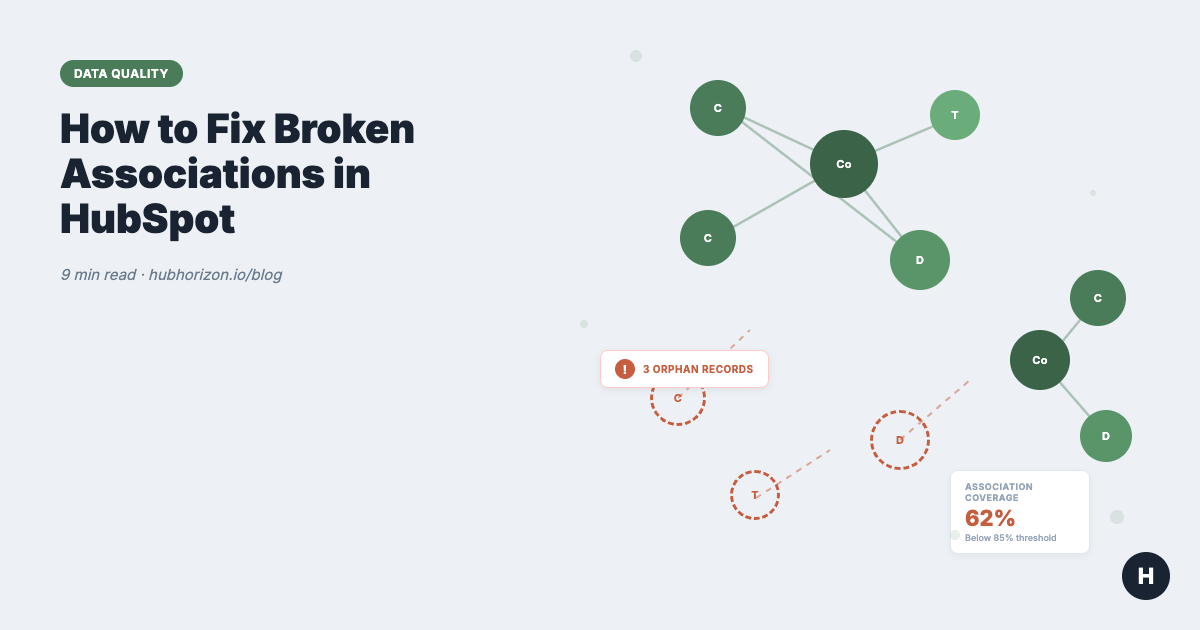
The approach we use at HubHorizon is to calculate association coverage as a percentage for each object pair: what proportion of records have at least one association of each critical type? A portal with 95% contact-to-company coverage is in good shape. A portal at 60% has a structural problem.
This is one of the data quality dimensions we score automatically. If you want to do it manually, export your records, count associations per record, and calculate the percentage. But at scale, you'll want automation.
How to fix them
Once you know where the gaps are, the fixes are straightforward.
Bulk association via import
HubSpot's import tool lets you create associations between existing records. Prepare a CSV with two columns: the record ID of the "from" object and the record ID of the "to" object. Import it as an association-only import (no record creation, just linking).
This is the fastest method for large batches. If you have 500 contacts that need company associations, export the contacts, match them to company record IDs (by email domain is usually the most reliable method), and import the association mapping.
Workflow-based auto-association
For ongoing prevention that also catches historical gaps, build workflows:
- Contact created → auto-associate to company by email domain. HubSpot can do this natively with the "Associate contact with company" action based on email domain matching. Enable this in Settings → Objects → Contacts → "Automatically create and associate companies with contacts."
- Deal created → require associated contact. Use a workflow that monitors new deals. If a deal has zero associated contacts after 24 hours, send a Slack notification to the deal owner: "Your deal [deal name] has no associated contacts. Please add the relevant stakeholders."
- Ticket created → associate to submitter's company. If the contact who submitted the ticket has a company association, copy that association to the ticket automatically.
Association labels for buying committee
Once basic associations are in place, add labels to deal-to-contact associations to track buying roles: Decision Maker, Champion, Economic Buyer, Technical Evaluator, Influencer. This is Professional plan and above.
Labels don't fix broken associations — they enrich existing ones. Fix coverage first, then add labels. The data hygiene cheat sheet has the full priority order.
How to prevent associations from breaking
Fixing orphan records is a one-time cleanup. Keeping them fixed is a different problem.
The single highest-impact change is enabling automatic contact-to-company association. One setting in HubSpot. It matches email domains to existing company records and creates the association when a new contact appears. This catches the most common orphan scenario — manual contact creation — without anyone having to remember to do anything.
For imports, create a shared CSV template with association mapping columns pre-filled. Put it in your team docs. Make it part of the import checklist. Most orphan imports happen because the person doing the import didn't know the columns existed.
Go through every integration that creates records in HubSpot and ask one question: does it create associations? If not, either configure it, build a workflow to create associations after the fact, or accept the gap and plan for periodic cleanup.
Build a CRM health score dashboard that tracks association coverage. If contact-to-company coverage drops below 85%, something changed — a new import, a new integration, a process change. Catch it early and it's a 30-minute fix. Catch it six months later and it's a project.
You can't require associations natively in HubSpot the way you can require properties. But you can approximate it: build a workflow that checks for associations at key transitions (deal moves to "Qualified," for example) and sends alerts if the association is missing. It's a soft gate, but soft gates work when the alternative is no gate at all.
The goal is making association completeness something your team actually watches, like fill rates and property hygiene. When it's visible, it stays healthy. When nobody looks at it, it decays.
Frequently Asked Questions
What are HubSpot associations?
Associations are the links between CRM records in HubSpot. They connect objects like contacts, companies, deals, and tickets to each other, creating the relationship map that powers reporting, automation, and AI features. Without associations, records are isolated data points with no context about how they relate to each other.
How do I bulk associate contacts to companies in HubSpot?
Export your contacts and companies with their record IDs. Match contacts to companies (email domain matching is the most reliable method). Create a CSV with contact record IDs and company record IDs in two columns. Import the file using HubSpot's import tool and select "Associate records" as the import type. For ongoing automation, enable the automatic contact-to-company association setting in Settings → Objects → Contacts.
Why are my HubSpot deals not showing associated contacts?
The most common cause is that deals were created manually or via integration without anyone adding the contact association. HubSpot doesn't require associations when creating deals, so it's easy to skip. Check by going to any deal record and looking at the "Contacts" association card in the right sidebar. If it's empty, the deal was created without an associated contact. Fix it by manually adding the contact, or run a bulk import to associate deals and contacts by their record IDs.
Can I create custom association labels in HubSpot?
Yes, on Professional plans and above. Association labels let you add context to the relationship between records — for example, labelling a contact as "Decision Maker" or "Champion" on a deal. You can create labels in Settings → Objects → [Object] → Associations. Labels are useful for buying committee tracking and AI readiness, but they only add value if the basic association exists first.
How do I check association coverage in HubSpot?
Build a custom report for each critical object pair (contact→company, deal→contact, deal→company, ticket→contact). Filter for records where the number of associations equals zero. Divide the number of records with at least one association by the total record count to get your coverage percentage. Healthy benchmarks: >85% for contact-to-company, >90% for deal-to-contact and deal-to-company. For automated monitoring, tools like HubHorizon calculate association coverage as part of a comprehensive data quality score.
Start your free portal health check at hubhorizon.io — see your association coverage scores in minutes, with specific fix recommendations for every orphan record pattern.
Peter Sterkenburg is the founder of HubHorizon, a portal health platform that scores HubSpot data quality across 7 dimensions — including association completeness. He's analysed hundreds of portals and found that broken associations are the most common data quality problem teams don't know they have.
Related articles
The HubSpot Pipeline Management Cheat Sheet: Views, Signals, and Reviews in One Place
One-page HubSpot pipeline reference: 6 deal health signals, warning thresholds, 9 saved view recipes, stage design checklist, and review prep guide.
Read articleYour HubSpot Pipeline Is a Data Structure. Most Are Broken.
Your deal pipeline is a data structure. When stages, exit criteria, and required properties break, forecasting and AI produce garbage. Diagnose and fix it.
Read articleWhy Your HubSpot Sales Forecast Is Wrong — and It's Not a Process Problem
Most forecasting failures are data failures, not process failures. Diagnose and fix the data foundation your HubSpot forecast depends on.
Read article