

HubSpot Property Hygiene Guide: How to Audit, Clean Up, and Manage CRM Properties
How to audit and clean up your HubSpot CRM properties. Covers property sprawl, unused fields, naming conventions, fill rates, and governance processes that stick.

Peter Sterkenburg
HubSpot Solutions Architect & Revenue Operations expert. 20+ years B2B SaaS experience. Founder of HubHorizon.
Every HubSpot portal I analyse follows the same arc. The first year, someone sets up the CRM carefully. Properties are named well, documented, used intentionally. By year two, there are 50 extra fields nobody can explain. By year three, the custom property count has doubled, a third of them are empty, and the person who created half of them has left the company.
The cost isn't abstract. Sales reps open a contact record and see 40 fields when they need 8. Marketing builds a segment on a property that has a 12% fill rate. Reports pull from lead_source when the real data is in contact_marketing_lead_source — a duplicate nobody realised existed. And when someone suggests "just clean it up," nobody knows which properties are safe to touch because nothing is documented.
That's property hygiene debt. It accumulates quietly and costs loudly. This guide walks through how to audit what you have, fix what's broken, and build the governance that keeps it from coming back.
What is HubSpot property hygiene?
HubSpot property hygiene is the practice of keeping your CRM's custom properties clean, organised, and purposeful — through consistent naming, regular audits, lifecycle management, documentation, and governance. Poor property hygiene is the single largest driver of CRM data quality decay in HubSpot portals.
It encompasses five areas:
- Property organisation — Logical grouping and naming
- Data quality — Accuracy and completeness of property values
- Property lifecycle — Creating, using, deprecating fields appropriately
- Documentation — Clear descriptions and usage guidelines
- Governance — Rules and processes for property management
Good property hygiene isn't a one-time cleanup. It's ongoing discipline — regular audits, clear ownership, and processes that prevent the mess from coming back. For a broader view beyond just properties, see our full HubSpot data quality audit checklist. And if you want a single number that captures where your property hygiene stands, see how a data quality score works.
The hidden costs of poor property hygiene
Here's what poor property hygiene actually costs. The issues cascade:
Property sprawl
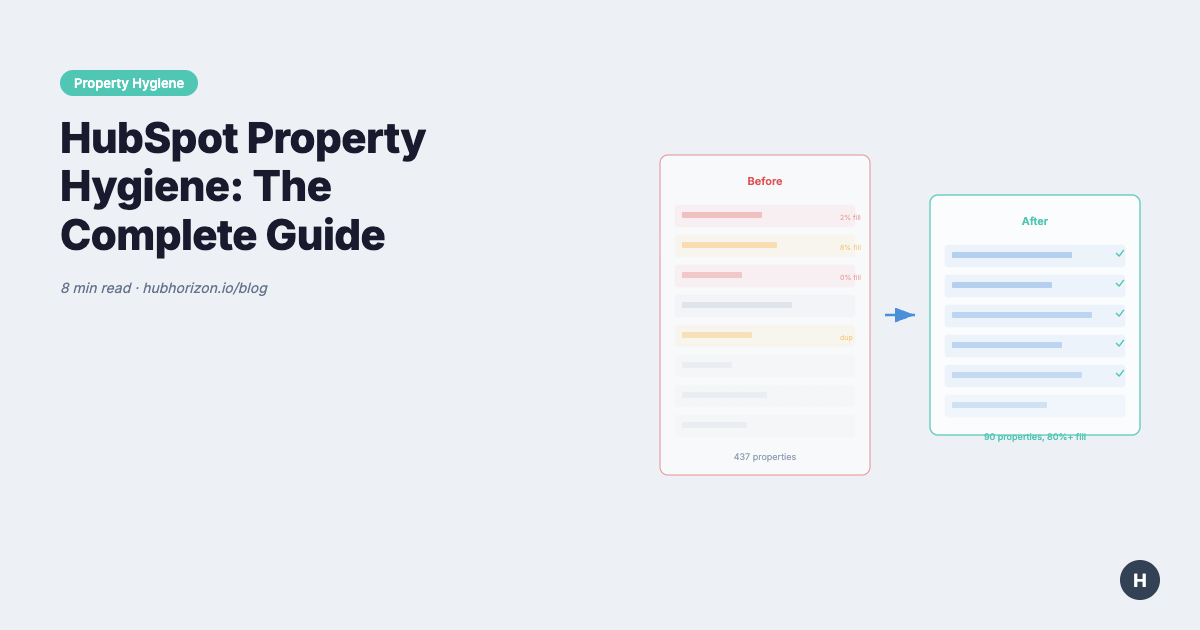
The average HubSpot portal I analyse has 300-500 custom properties across Contact, Company, Deal, and Ticket objects. Enterprise portals often exceed 1,000. Only 30-40% are actively used. The rest are zombie properties — fields that were created for a one-time import, a campaign that ended, or an integration that got replaced. Nobody deletes them because nobody knows if they're safe to touch.
The downstream damage is real. Users can't find the right field among dozens of similar options. New team members have no idea which properties matter. Integrations and workflows reference deprecated fields that haven't been updated in months. And the unused property count keeps climbing because there's no process to prune.
This also leaks revenue quietly. Every unnecessary field increases form friction, slows down CRM load times, and muddies the data that powers your reports and AI features.
Duplicate properties
Property-level duplicates undermine the uniqueness dimension at the schema level — the same data gets fragmented across multiple fields, making it impossible to get a single accurate answer. We routinely find 5-10 properties that serve identical purposes with slight variations:
industryvscompany_industryvsindustry_classificationphonevsphone_numbervsmobile_phonevsoffice_phonelast_contactedvslast_contact_datevsdate_last_contacted
Teams create duplicates when they can't find existing properties or don't understand naming conventions. The result is fragmented data and unreliable reporting — the same contact has their industry recorded in three different places, and no single field tells the full story.
Inconsistent naming conventions
Naming inconsistency is the most common property hygiene issue. We see portals mixing:
- Snake_case, camelCase, PascalCase, and kebab-case
- Prefixes (
hs_,custom_,crm_) with no clear pattern - Abbreviations (
cust,customer,cstmr) - Vague names (
field_1,temp_property,test_data)
Without clear conventions, properties become impossible to maintain at scale.
Poor documentation
HubSpot requires property descriptions, but we find 60-70% of custom properties have no description or unhelpful placeholders like "Custom field" or "Data from import."
Missing documentation means:
- No one knows what the property tracks
- Historical context is lost when team members leave
- Properties become "untouchable" because no one understands their purpose
The 5 pillars of HubSpot property hygiene
Property hygiene affects data quality across all six formal dimensions — your properties are the schema that determines whether data can be accurate, valid, complete, consistent, unique, and timely. When the schema is messy, every dimension suffers. And when AI tools like HubSpot Breeze try to work with messy schema, the outputs are unreliable. Effective property hygiene rests on five core practices:
1. Naming conventions
Naming conventions tie directly to the validity dimension — if property names are unclear, nobody knows what valid data looks like. A field named temp_field_2 tells neither humans nor automation what valid values look like. Establish and enforce a consistent naming standard. Here's a framework that works:
Format: [object]_[category]_[descriptor]
Examples:
contact_marketing_lead_sourcecompany_sales_deal_stagedeal_finance_arr_value
Rules:
- Use lowercase with underscores (snake_case)
- Start with object type for cross-object properties
- Include category for grouping (marketing, sales, support, finance)
- Use descriptive names, avoid abbreviations
- Maximum 50 characters
- No special characters except underscores
Common prefixes:
hs_- HubSpot system properties (reserved)calc_- Calculated properties (formulas)import_- Import-only fields (not shown in UI)legacy_- Deprecated properties (keep for historical data)
2. Property groups and organisation
HubSpot allows property groups, but most teams barely use them. Create logical groups:
- Core Information - Essential identifying data
- Marketing Data - Campaign attribution, lead scoring
- Sales Data - Pipeline stages, deal information
- Support Data - Ticket history, satisfaction scores
- Enrichment Data - Third-party data (Clearbit, ZoomInfo)
- Integration Data - External system IDs and sync fields
- Legacy/Deprecated - Properties maintained for historical reasons
Group properties by function, not by creation date or import source.
3. Documentation standards
Every custom property should have:
- Clear description - What data does it store? (2-3 sentences)
- Purpose - Why was it created? What problem does it solve?
- Data source - Manually entered, imported, API sync, calculated?
- Owner - Which team or person maintains it?
- Dependencies - Used in workflows, reports, or integrations?
- Last audit date - When was it last reviewed?
Store extended documentation in a central location (Notion, Confluence, etc.) with links in property descriptions.
4. Property lifecycle management
Implement a formal process for property creation and deprecation:
Creation checklist:
- Search for existing properties before creating new ones
- Verify the use case requires a custom property (can you use existing fields?)
- Choose the correct property type (text, number, date, etc.)
- Follow naming conventions
- Write clear documentation
- Add to appropriate property group
- Record in property registry (spreadsheet or database)
Deprecation process:
- Identify unused properties (zero data, no workflow references)
- Mark as
legacy_prefix or move to deprecated group - Document deprecation reason and date
- Keep property for 90 days before considering deletion
- Export data before deletion
- Remove from all workflows, reports, and integrations first
Never delete properties with historical data unless you've archived it elsewhere. If you need to export property history before deleting, see the step-by-step export guide.
5. Regular audits
Property hygiene requires ongoing maintenance. Schedule quarterly audits:
Quarterly audit checklist:
- Review all custom properties created in last 90 days
- Identify properties with zero or minimal data (less than 5% populated)
- Find potential duplicates (similar names or purposes)
- Check for properties missing descriptions
- Verify naming convention compliance
- Review deprecated properties eligible for deletion
- Update property groups and organisation
- Check workflow and report dependencies
- Update central documentation
Assign ownership to a data steward or operations manager.
The property hygiene audit: Step-by-step
Here's how to conduct a full property hygiene audit:
Step 1: Export property inventory
Use HubSpot's property export or API to create a complete inventory:
- Property name (internal name)
- Label (user-facing name)
- Object type (Contact, Company, Deal, Ticket, custom)
- Field type (text, number, date, dropdown, etc.)
- Property group
- Description
- Created date
- Last modified date
Step 2: Analyse usage patterns
For each property, determine:
- Population rate - What percentage of records have data?
- Uniqueness - How many distinct values?
- Recency - When was data last updated?
- Dependencies - Where is it used (workflows, reports, views, integrations)?
Low population (less than 5%) and no recent updates indicate candidates for deprecation.
Step 3: Identify duplicates
Look for properties with:
- Similar names (
company_namevscompany_legal_name) - Overlapping purposes (multiple "last contacted" date fields)
- Different names but identical values (correlation analysis)
Consolidate duplicates by choosing the most complete property and migrating data.
Step 4: Apply naming standards
Create a mapping table of properties that violate naming conventions:
| Current Name | Compliant Name | Action |
|---|---|---|
LeadSource |
contact_marketing_lead_source |
Rename |
company_phone1 |
company_contact_phone_primary |
Rename |
temp_field_2 |
(Investigate purpose) | Document or deprecate |
HubSpot allows property renaming (internal name) only via API. Labels can be changed in the UI.
Step 5: Document everything
Update descriptions for all undocumented properties. If you can't determine a property's purpose:
- Check creation date and user
- Search workflows and reports for usage
- Review import history
- Ask team members
- If still unclear, mark as
legacy_unknown_[name]and deprecate
Step 6: Implement governance
Property governance is one layer of the broader data governance hierarchy. The policies here — who can create properties, how they're named, when they're retired — feed into the integrity rules and measurable quality dimensions described in that framework. Create a property governance document:
- Naming convention standards (with examples)
- Property creation approval process
- Documentation requirements
- Audit schedule and ownership
- Deprecation criteria
- Training resources for new team members
Make this accessible to all HubSpot users in your organisation.
Property hygiene and the bigger picture
Properties are half the story. The other half is associations — the links between records. A contact can have perfectly clean properties but still be useless if it's not associated to a company. A deal can have every field filled in but break your onboarding workflow if it has no associated contact.
The two problems compound each other. Teams with poor property hygiene usually have poor association hygiene too, because the same lack of governance that lets properties sprawl also lets orphan records accumulate. If you're doing a property audit, check association coverage at the same time. Our data hygiene cheat sheet has the priority order: fix associations first (highest revenue impact per fix), then properties, then lifecycle stages, then AI readiness.
Property hygiene also feeds directly into your CRM health score. The property quality components — zombie count, naming compliance, documentation coverage, fill rates, duplicate detection, validation coverage, taxonomy organisation — make up the single largest dimension of the overall score. Clean properties alone won't give you a high health score, but messy properties guarantee a low one.
Common property hygiene mistakes to avoid
Mistake 1: Creating properties for one-off needs
Every import or campaign doesn't need a custom property. Use:
- Lists and filters for segmentation
- Workflows for temporary tags
- Notes or activities for contextual information
Reserve custom properties for data that needs long-term tracking and reporting.
Mistake 2: Using the wrong property type
Choosing the wrong type creates data quality issues:
- Don't use text fields for numeric data (prevents calculations)
- Don't use single-line text for long descriptions (use multi-line)
- Don't use dropdowns with 50+ options (use text with validation)
- Don't use date fields for partial dates (use text or separate month/year fields)
Property type changes are destructive and can lose data.
Mistake 3: Ignoring HubSpot default properties
HubSpot provides 200+ default properties across objects. Teams create custom properties duplicating existing fields because they don't know defaults exist.
Before creating custom properties, review:
- Contact default properties (150+ fields)
- Company default properties (100+ fields)
- Deal default properties (50+ fields)
- Integration-specific properties (sales, service, marketing hubs)
Mistake 4: Never deleting anything
Hoarding deprecated properties creates clutter. If a property:
- Has no data
- Hasn't been updated in 12+ months
- Isn't used in any workflows, reports, or integrations
- Was created for a one-time project
It's safe to delete after exporting data for archive. Don't let fear of data loss prevent cleanup.
Mistake 5: Skipping the API for bulk operations
Manual property management doesn't scale. Use HubSpot's API or third-party tools for:
- Bulk property updates
- Batch renaming
- Data migration between properties
- Automated audits and reporting
Automating property hygiene
Manual audits work for small portals. Past 200+ custom properties, you need automation. The audit steps above don't change, but doing them by hand every quarter across four object types gets old fast.
HubHorizon runs the full property hygiene assessment automatically: naming convention compliance, documentation coverage, duplicate detection (fuzzy name matching + value correlation), fill rate analysis, and dependency mapping for every custom property. You get a per-property health score with specific fix recommendations and can track improvement over time.
The part that saves the most time is dependency mapping. Before you deprecate a property, you need to know if it's referenced in a workflow, report, or integration. Doing that manually means clicking through every workflow. Automation does it in seconds.
Maintaining property hygiene long-term
One-time cleanups fail without sustainable processes. Here's how to maintain hygiene:
Establish clear ownership
Assign a data steward or operations manager as the property governance owner. Responsibilities include:
- Reviewing property creation requests
- Conducting quarterly audits
- Maintaining documentation
- Training team members
- Monitoring property health metrics
Create a property request process
Require approvals before creating custom properties:
- Submit request form (purpose, data source, expected usage)
- Data steward reviews for duplicates and necessity
- If approved, steward creates property with proper naming and documentation
- Requester receives training on proper usage
This prevents property sprawl at the source.
Build property hygiene into onboarding
Train new HubSpot users on:
- How to search for existing properties before creating new ones
- Naming conventions and documentation standards
- Property groups and organisation
- When to use custom properties vs. default fields
Make property governance part of your CRM certification process.
Monitor key metrics
Track these metrics monthly:
- Total custom property count
- Properties created in last 30 days
- Properties with zero or low population (less than 5%)
- Properties missing descriptions
- Naming convention compliance rate
- Duplicate property count
Set targets and review trends in operations meetings.
Make it visible
Nobody gets promoted for archiving properties. But when you show leadership that the Q1 cleanup cut average form completion time by 15% because reps aren't scrolling past 30 irrelevant fields, the next quarterly audit gets approved without a fight. Share before/after metrics. Property hygiene gets investment when it has numbers attached.
Make it stick
I've watched portals go through three rounds of cleanup without anything sticking. The third audit finds the same problems as the first, because nobody changed the process that creates the mess.
The fix isn't a better audit. It's governance: a property request process, a named owner, quarterly reviews that actually happen, and metrics that leadership sees. When property count and documentation coverage show up in your ops dashboard next to pipeline velocity, they get attention.
Start with a full audit. Fix the worst offenders — find and remove unused properties, consolidate duplicates, document the rest. Then put the process in place so the next audit finds less, not the same thing again. If your RevOps team is firefighting, property hygiene is one of the structural fixes that reduces the fire count over time.
Frequently Asked Questions
How often should you audit HubSpot properties?
Quarterly is the minimum cadence for a meaningful property hygiene programme. Monthly is better if your portal has multiple teams creating properties. You should also audit after major events: CRM migrations, new integrations, team restructures, or any bulk import that might introduce new custom fields.
What is property sprawl in HubSpot?
Property sprawl is the uncontrolled growth of custom properties in a HubSpot portal — typically caused by multiple teams creating fields without coordination, naming standards, or lifecycle management. A portal with 300+ custom properties almost certainly has sprawl. Symptoms include duplicate fields with slight name variations, properties with <5% fill rates, and fields nobody can explain the purpose of.
How many custom properties should a HubSpot portal have?
There's no universal number, but a healthy mid-market portal typically has 50-150 active custom properties across all objects. Above 200, you should audit for duplicates and unused fields. The issue isn't the absolute count — it's the ratio of active, documented, well-populated properties to abandoned ones. If more than 30% of your custom properties have fill rates below 10%, you have a hygiene problem.
What's the difference between property hygiene and data quality?
Property hygiene focuses on the structure — naming conventions, documentation, lifecycle management, and governance of the fields themselves. Data quality focuses on the values inside those fields — accuracy, completeness, consistency, validity, uniqueness, and timeliness. You need both: clean structure and clean data. Poor property hygiene makes data quality problems harder to detect and fix.
Start your free portal health check at hubhorizon.io — see your property hygiene scores in minutes, with specific recommendations for naming, documentation, duplicates, and unused fields.
Peter Sterkenburg is the founder of HubHorizon, a portal health platform that scores HubSpot data quality across 7 dimensions. He's analysed hundreds of portals and found that property hygiene is the single dimension most teams underestimate — and the one with the highest compound impact when fixed.
Related articles
The HubSpot Pipeline Management Cheat Sheet: Views, Signals, and Reviews in One Place
One-page HubSpot pipeline reference: 6 deal health signals, warning thresholds, 9 saved view recipes, stage design checklist, and review prep guide.
Read articleYour HubSpot Pipeline Is a Data Structure. Most Are Broken.
Your deal pipeline is a data structure. When stages, exit criteria, and required properties break, forecasting and AI produce garbage. Diagnose and fix it.
Read articleWhy Your HubSpot Sales Forecast Is Wrong — and It's Not a Process Problem
Most forecasting failures are data failures, not process failures. Diagnose and fix the data foundation your HubSpot forecast depends on.
Read article